How to make AI rap videos comes down to four steps and two ordinary photos, with about a minute of work on your side. There's no filming, no editing app and no prompt to write. This guide walks through the steps on our AI rap video generator, then covers the part most people get wrong: choosing photos the AI can actually work with.
What you need to make an AI rap video
- Two photos, one of you and one of a friend. Each photo shows one adult, and both of you have agreed to be in the video.
- A phone or computer with a browser. Nothing to install.
- A Google account to sign in, so your videos stay in one place.
- 10 credits. That's one video: $8.9 on its own, or as low as $3.3 in a pack.
That's the whole list. You don't need a beat, a script or any video skills, because the stage you pick already has its scene, moves and camera built in.
How to make an AI rap video in 4 steps
- Pick a rap stageFlip through the records at the top of this page. Each one plays a real sample, so you can see the setting and hear the sound before you spend anything. Try the hotel lobby AI video if you want the orange booth everyone recognises.
- Add two photosThe first photo becomes the rapper on the left, the second the one on the right. On a computer you can drag both onto the page. If you get the sides backwards, the swap button flips them.
- Make itSign in with Google, tick the consent box and hit the button. Rendering usually takes a few minutes. If a video fails, the credits go back to your balance automatically.
- Save and shareDownload the MP4, copy the ready-made caption and post it. You can also turn on surprise mode and send it to your friend as a gift link.
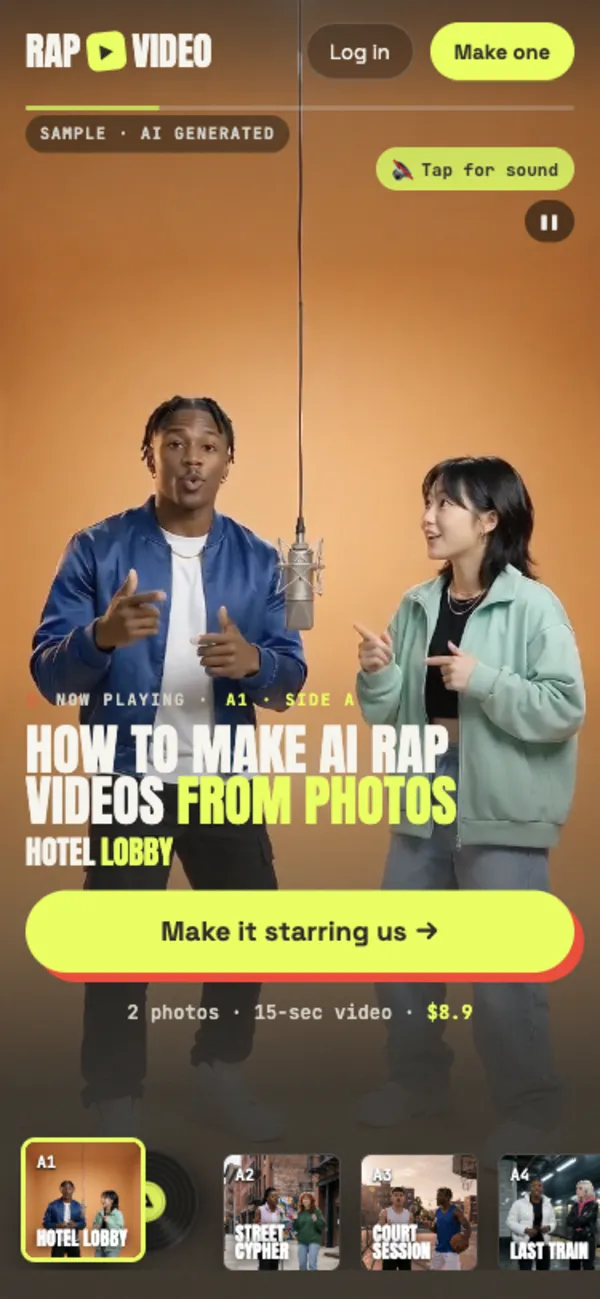
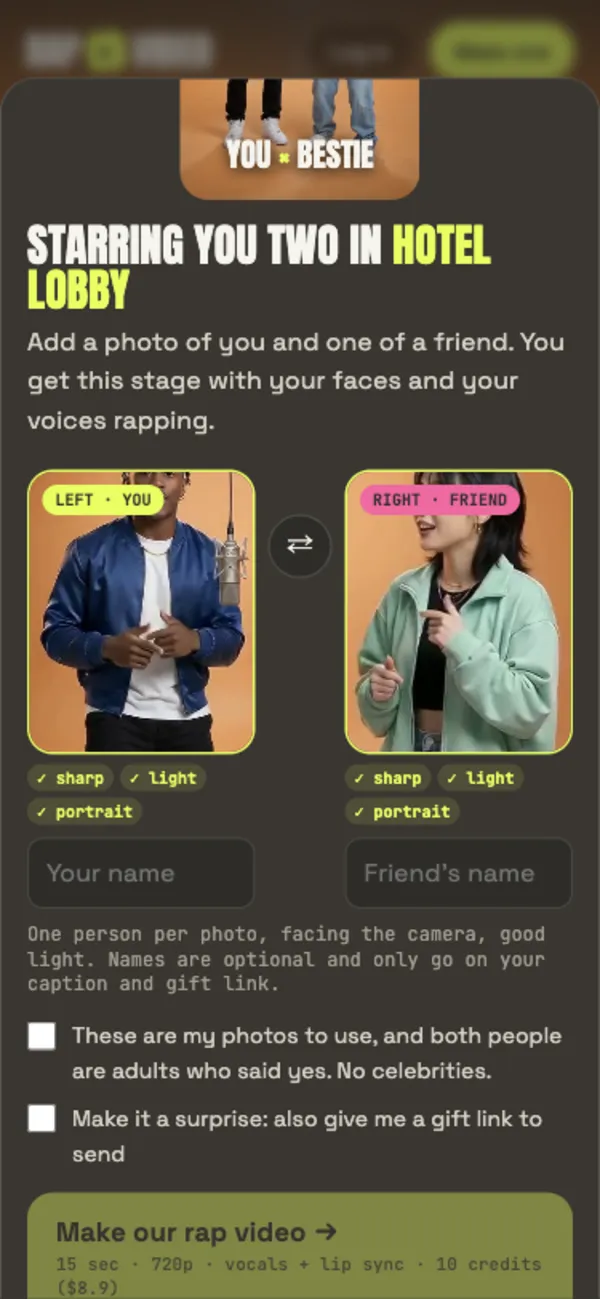
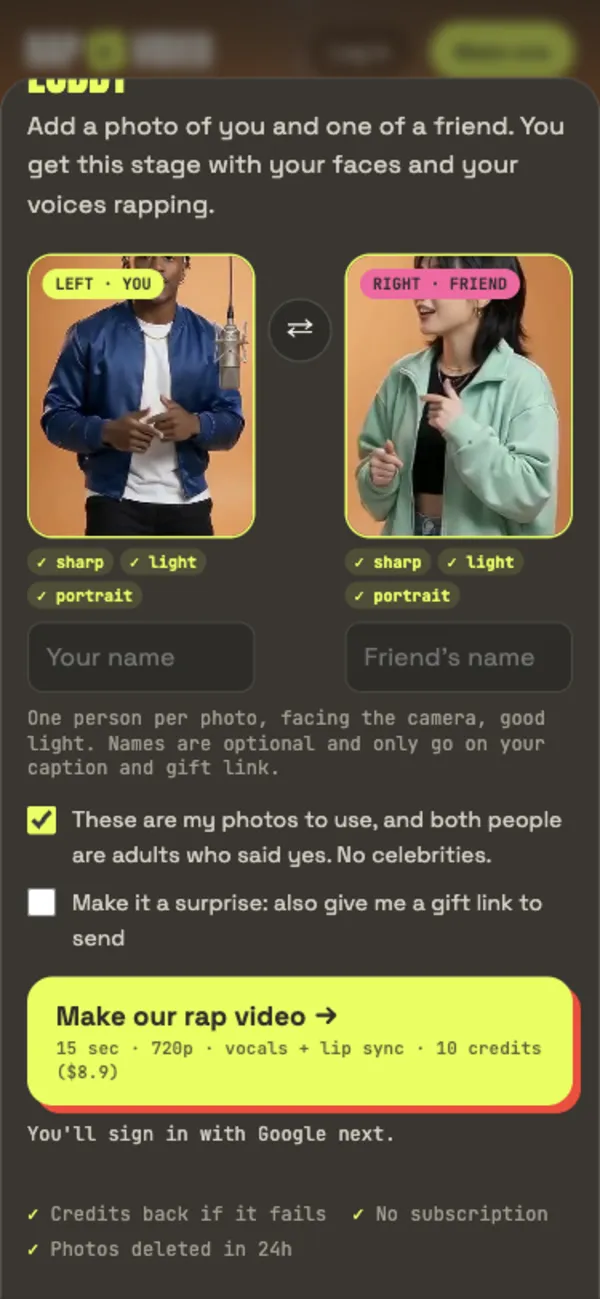
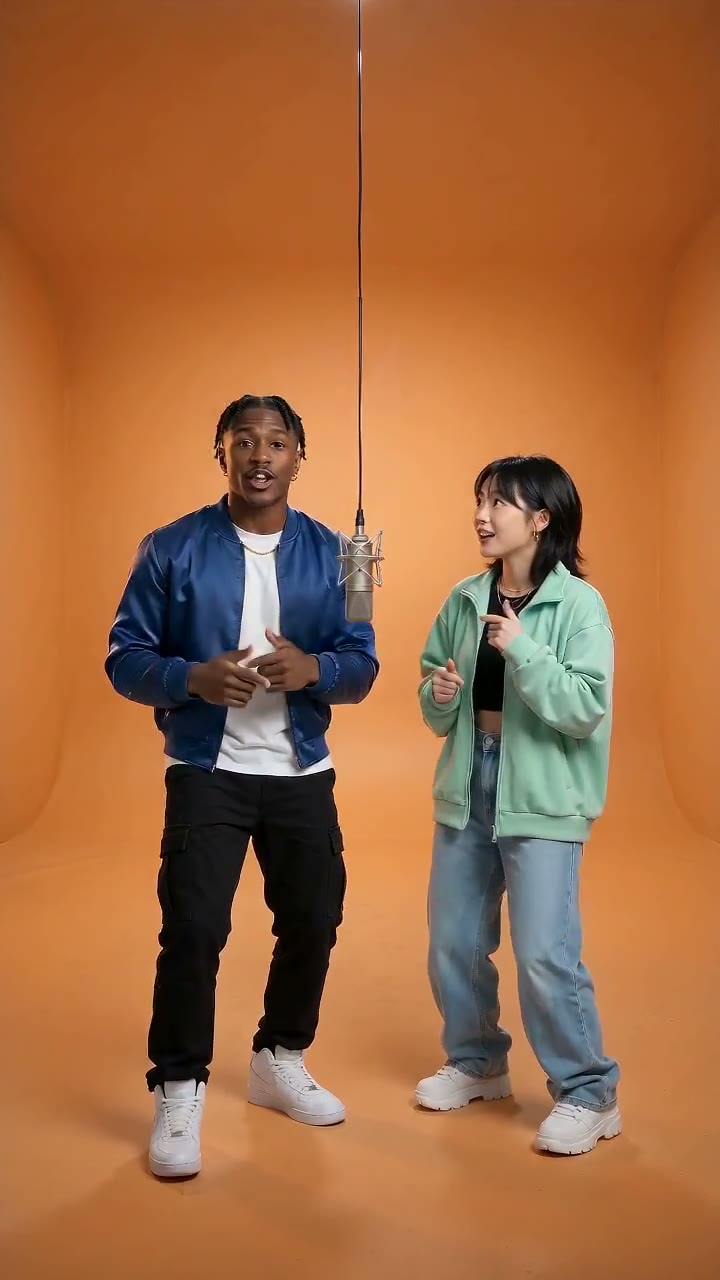
You end up with a 15-second vertical video at 768P, one continuous shot, with an original beat and bars that trade back and forth. Only the person rapping moves their mouth, and there are no subtitles or watermark on the frame.
Which photos make the best AI rap videos
The AI takes each person's face, hair, skin tone and outfit from the photo. The stage only sets the scene around you. So the photo is the one thing you control, and it matters more than anything else in this guide.
| Do this | Why it helps |
|---|---|
| Face the camera with both eyes visible | Gives the AI a clear likeness to hold on to |
| Use a full-length photo if you have one | Every video shows you head to shoes, so your whole outfit carries over |
| Wear different colors from your friend | Keeps the two of you apart, so your looks don't blend |
| Pick photos with similar light | Two daylight shots sit better on one stage than one bright and one dark |
| Skip sunglasses, masks and heavy filters | Anything hiding your face makes the likeness weaker |
A waist-up photo still works, because the AI fills in the rest of the body to match. The uploader also checks size, light and framing as soon as you add a photo, so you'll see a warning before you spend credits.
How to make a viral AI rap video
Nobody can promise a video will take off, and we won't. But a few choices give it a better shot:
- Start from a setting people already know. A recognisable backdrop reads instantly when someone is scrolling. The Hotel Lobby stage is built around the look people already associate with these videos.
- Cast someone people want to see. Two friends with an obvious dynamic, like a couple, siblings or a boss and an intern who both said yes, are more fun than a solo clip.
- Make it about the person you tag. Surprise mode gives you a gift link, and a friend's reaction to seeing themselves rap is often the part worth sharing.
- Post the clean file with the caption. The video has no text on screen, so you can add your own hook in the app you post from.
Always label the video as AI-generated when you post. It's part of our house rules, and the platforms expect it too.
Why an AI rap video looks wrong, and how to fix it
Every video is a fresh AI take, so results vary from one take to the next. When something looks off, it usually traces back to one of these:
| What you see | Likely cause | Fix |
|---|---|---|
| Doesn't look like you | Angled face, dark photo or a heavy filter | Use a clear, front-facing photo in good light |
| Outfits look alike | Similar clothes in both photos | Pick photos where you wear different colors |
| Clothes below the waist look made up | The photo stops at the waist | Use a full-length photo |
| One person looks pasted in | Very different light in each photo | Use two photos taken in similar light |
| The video was refused | A public figure or someone under 18 in a photo | Only use photos of adults who agreed, no celebrities |
| The video failed | A problem on the rendering side | Credits come back automatically, so just try again |
A take that finishes but isn't to your taste uses credits if you make another, so it's worth fixing the photos first.
Can you make AI rap videos for free?
Not on RapToVideo. We don't offer a free trial, because every video is rendered fresh by a video AI and has a real cost. What you can do for free is watch a full sample of every stage before you pay, so you know exactly what you're buying. After that, payment is one-time with no subscription, and credits never expire. See the pricing page for every pack.
How to make AI rap videos: FAQ
How long does it take to make an AI rap video?
Choosing a stage and adding two photos takes about a minute. The video itself is usually ready in a few minutes, and you can leave the page while it renders. It stays under My videos on your account.
Do I need to write a prompt or lyrics?
No. Each stage already has its scene, moves and camera built in, and the AI writes fresh bars on that stage's theme. You can't write your own lyrics yet.
Can I make an AI rap video on my phone?
Yes. The whole flow works in a phone browser, with no app to install. Pick a stage, tap the button, choose two photos from your camera roll and make it.
Can I use a photo of a celebrity or a rapper?
No. Photos of public figures and of anyone under 18 are not allowed. Both people must be adults who agreed to be in the video.
Can I post the video on TikTok, Reels and Shorts?
Yes. Every video is a vertical 9:16 MP4 with no subtitles or watermark, and it comes with a ready-made caption. Label it as AI-generated when you post.
What happens to my photos afterwards?
They are sent to our video AI only to make your video, and we delete them within 24 hours. We never use them to train AI.